G-code for your wood lathe. Short, clean, right the first time.
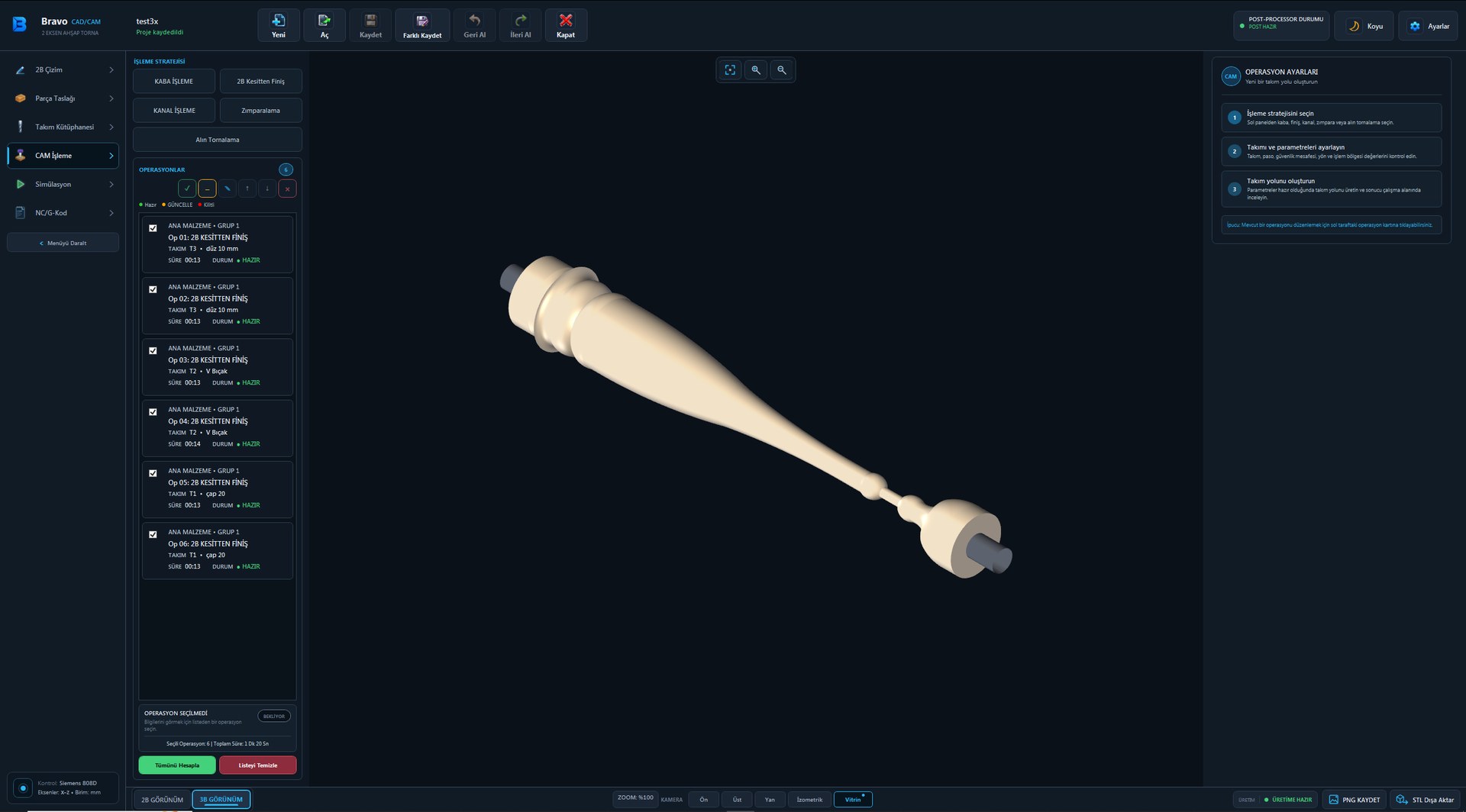
Draw your part in BravoCam or import it from DXF. BravoCam plans roughing and finishing, shows the result in 3D simulation and writes a ready-to-run .mpf program for your machine. Built in the workshop, for the workshop.
Everything your workshop needs, in one program.
Profile from DXF in one step
Recognises open and closed contours, strips the base line and seats the profile on the axis. No manual clean-up of the drawing.
Bidirectional roughing
Cuts in both directions with no empty return passes. Parallel roughing is one click away.
Short, readable G-code
Curves are written as true G2/G3 arcs and tiny segments are merged away. Fewer lines, more control for the operator.
Separate settings for raw stock
Use a different depth of cut, feed and speed on raw stock. Spindle speed can ramp up in stages.
Several parts, one blank
Join several drawings with spacer blocks. Region Select machines only the part you choose and leaves its neighbours untouched.
3D simulation
See it before you cut. Collision zones are marked in red, and minimum radius and remaining stock are reported.
Tool library
Unlimited tools with turret station assignment. Each project stores its own tooling, so it cuts to size even if the machine setup changes.
Built-in 2D drawing
No DXF? No problem. Draw and dimension the profile inside the program and send it straight to production.
From drawing to machine in four steps.
Draw or import DXF
The upper half-profile is all you need; the program does the rest.
Define the stock
Round, square or tapered blank: enter the size and confirm the setup.
Choose operations
Section or parallel roughing, finishing pass, tool and speed.
Simulate and send
Check it in 3D simulation and transfer the .mpf file to the machine.
Fewer lines. Less waiting.
We machined the same part with the same tool against a reference CAM package in roughing. BravoCam skips unnecessary plunges and writes each curve as a single arc command.
Speaks your machine's language.
Written for CNC wood lathes with Siemens SINUMERIK 808D controls. The programs it writes go to the machine without hand editing.
Try it with your own part.
Send us your DXF and we'll show you the G-code and simulation BravoCam produces for it. See it on your own part before you decide.